SONY
Corporate Information
Mission / Vision
CEO Message
Co-Creation
Corporate Data
Products & Services
Technology
Haptics Technology
Transparent Screen Display
Super-Resolution Technology
360 Virtual Mixing Environment
Eye-sensing Light Field Display
Digital Human Technology
Innovative Material Development
News
News Releases
Important Notices
Sustainability
Sustainability
Environment
Accessibility
Diversity
Social Contribution
Corporate Information
Products & Services
Technology
News
Sustainability
Contact
Corporate Information
Mission / Vision
CEO Message
Co-Creation
Corporate Data
Products & Services Top
Consumer
Professional
Business Area
Imaging Entertainment
Lens Technology & System
Mobile Communications
Home Entertainment
Personal Entertainment
Professional Imaging Technology
Media Solution
Software Service
Virtual Production
Sports Entertainment
Life Science & Technology
Secure Technology & Solution
New Initiatives
XYN™(/zin/)
Automotive Entertainment
Olfactive Technologies
OTC(Over-the-Counter) Hearing Aids
Technology
Haptics Technology
Transparent Screen Display
Super-Resolution Technology
360 Virtual Mixing Environment
Eye-sensing Light Field Display
Digital Human Technology
Innovative Material Development
News
News Releases
Important Notices
Sustainability
Sustainability
Environment
Accessibility
Diversity
Social Contribution
JP
EN
Corporate Information
Mission / Vision
CEO Message
Co-Creation
Corporate Data
Products & Services
Products & Services Top
Consumer
Professional
Business Area
Imaging Entertainment
Lens Technology & System
Mobile Communications
Home Entertainment
Personal Entertainment
Professional Imaging Technology
Media Solution
Software Service
Virtual Production
Sports Entertainment
Life Science & Technology
Secure Technology & Solution
New Initiatives
XYN™(/zin/)
Automotive Entertainment
Olfactive Technologies
OTC(Over-the-Counter) Hearing Aids
Technology
Technology
Haptics Technology
Transparent Screen Display
Super-Resolution Technology
360 Virtual Mixing Environment
Eye-sensing Light Field Display
Digital Human Technology
Innovative Material Development
News
News
News Releases
Important Notices
Sustainability
Sustainability
Sustainability
Environment
Accessibility
Diversity
Social Contribution
Contact
JP
EN
Sony Corporation
帳戶說明
設定兩步驟驗證
設定透過簡訊進行兩步驟驗證
設定通行鑰
停用通行鑰
設定透過驗證應用程式進行兩步驟驗證
停用兩步驟驗證
接收備用代碼
設定透過簡訊進行兩步驟驗證
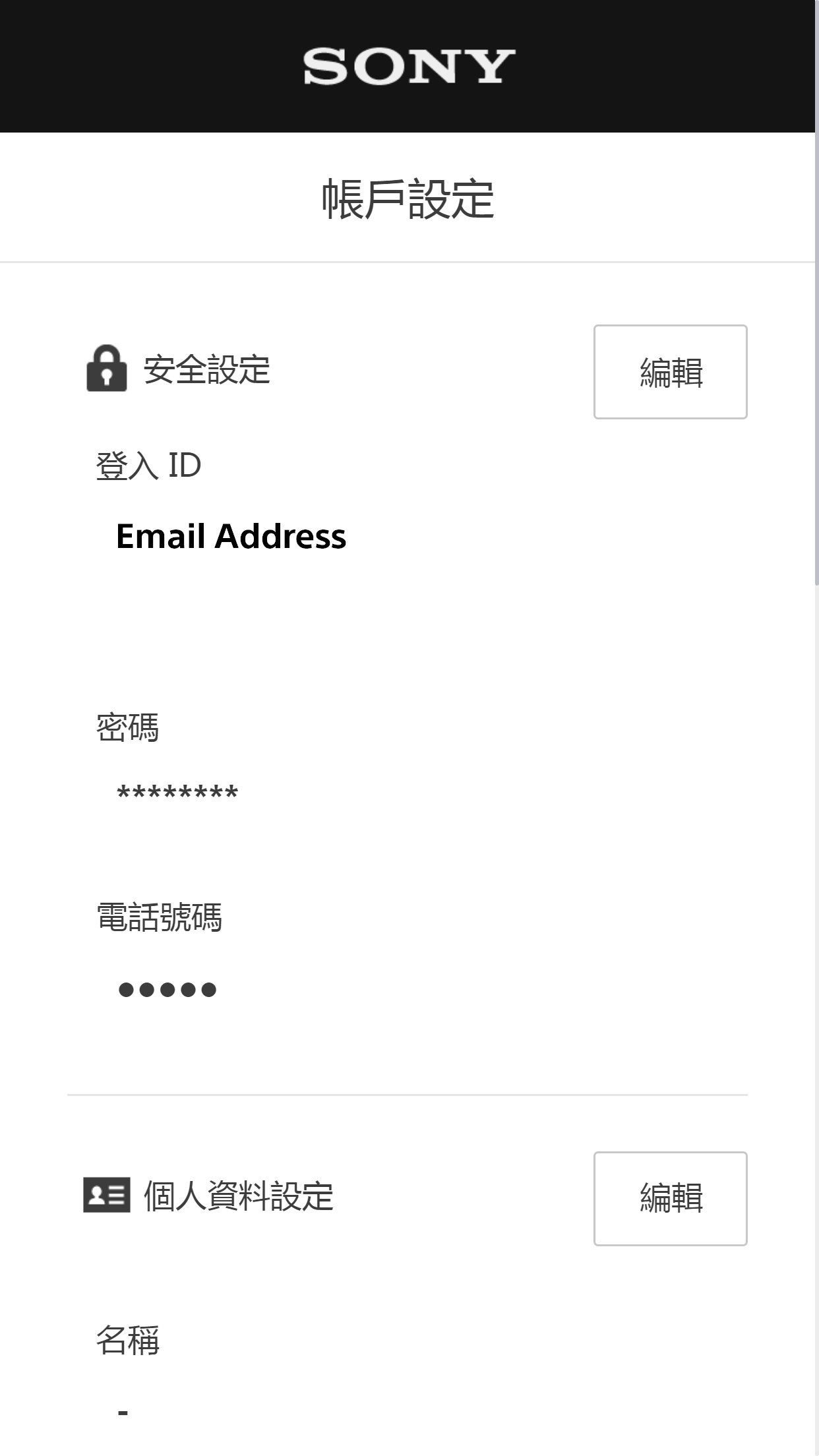
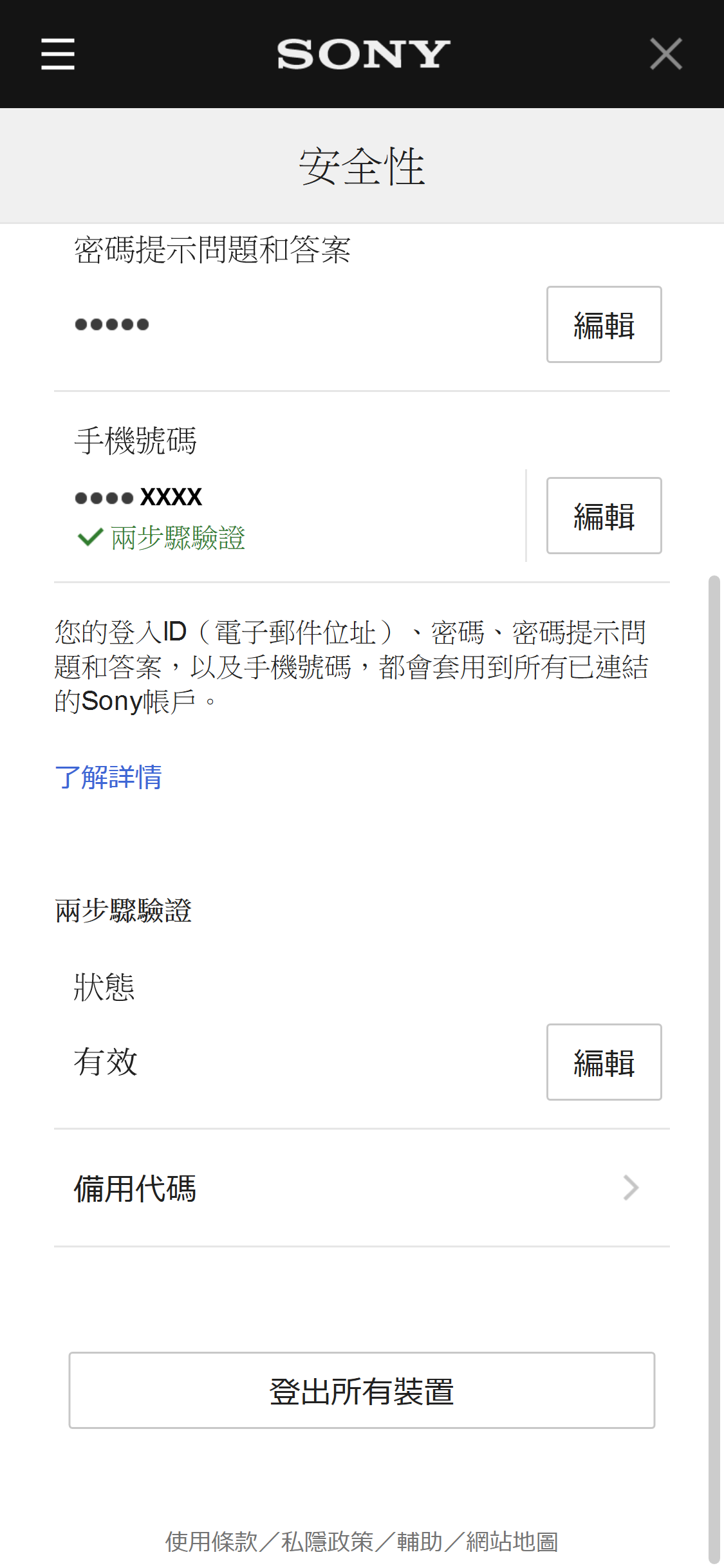
在「帳戶設定」畫面選擇[編輯],以進入安全設定。
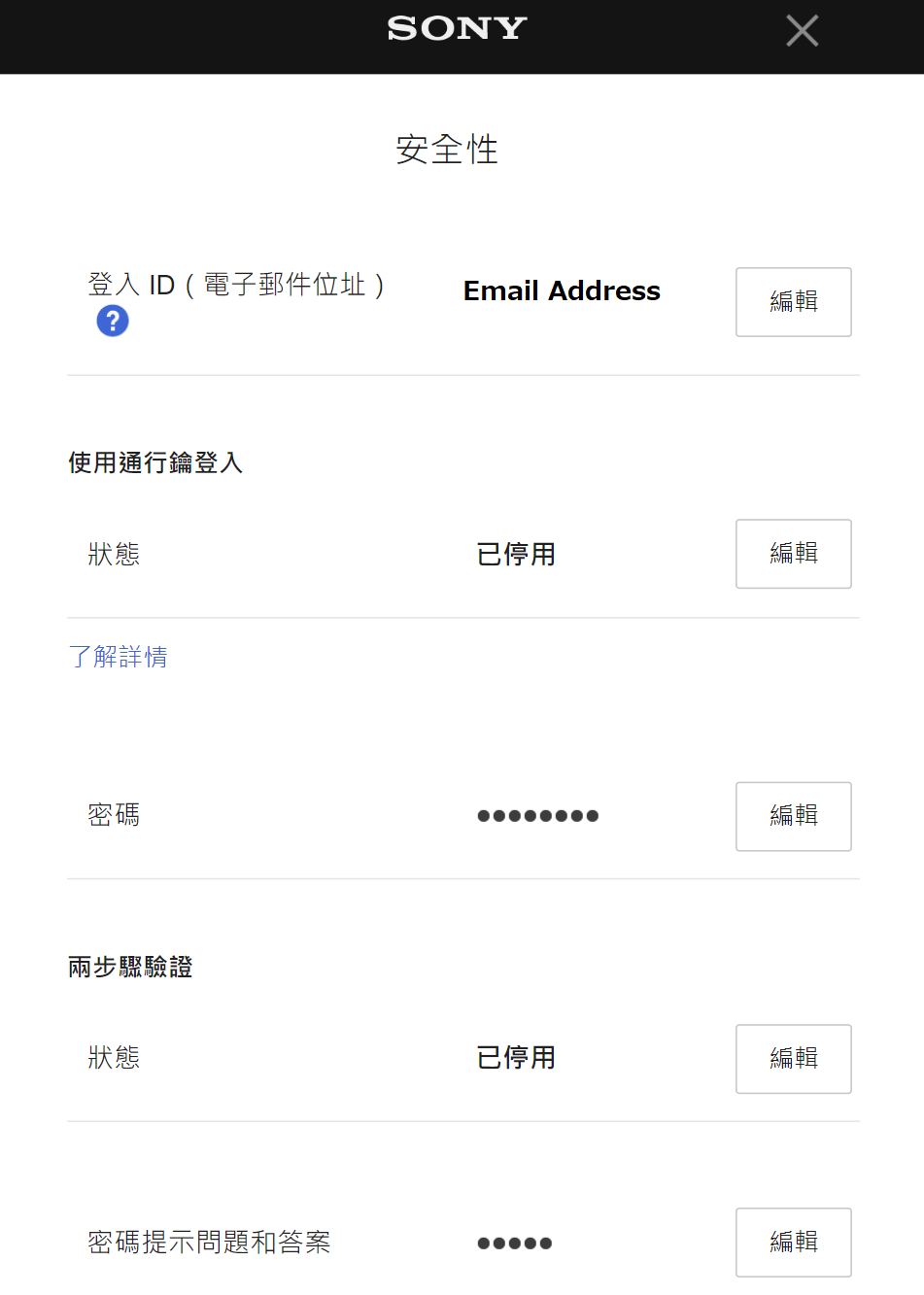
選擇兩步驟驗證旁邊的[編輯]。
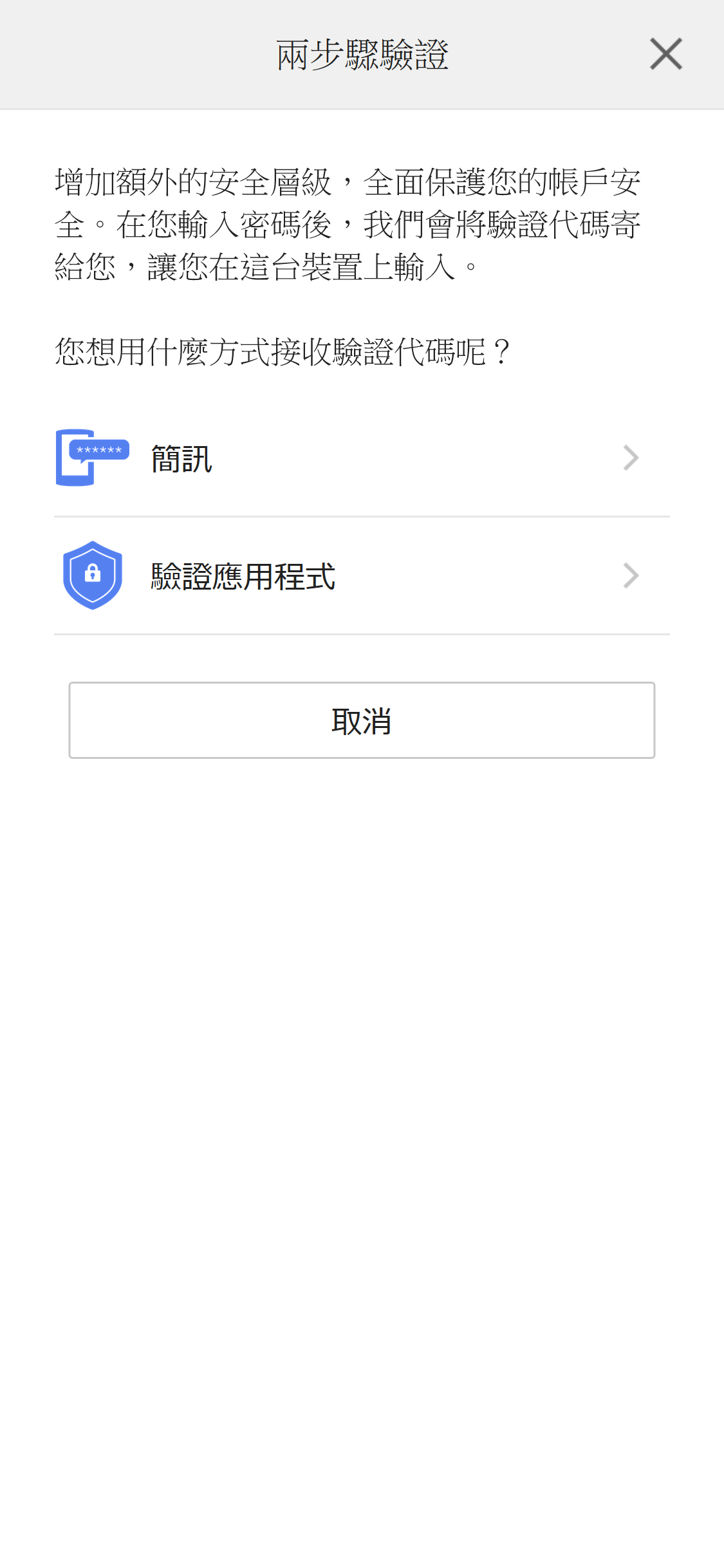
選擇[簡訊]。
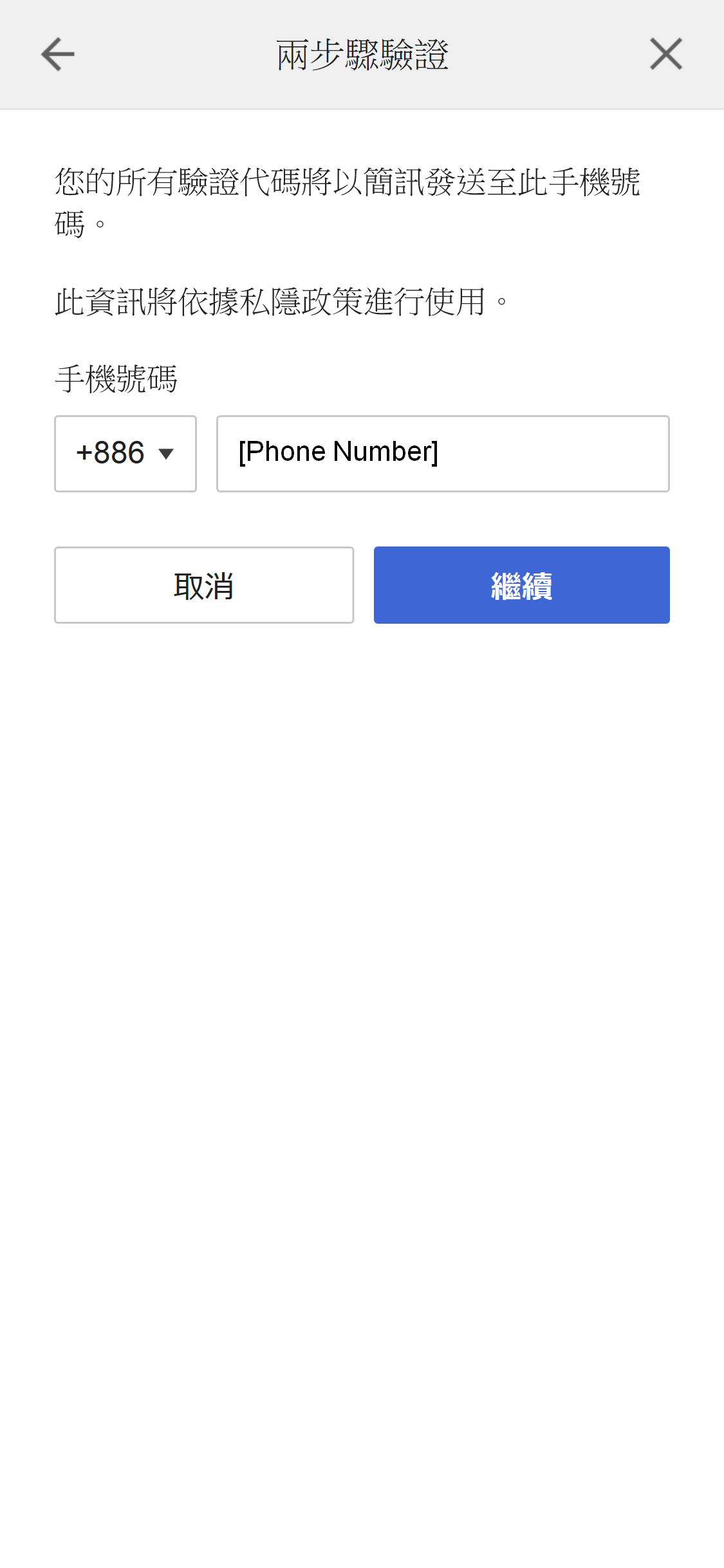
若您尚未設定手機號碼,請輸入並選擇[繼續]。
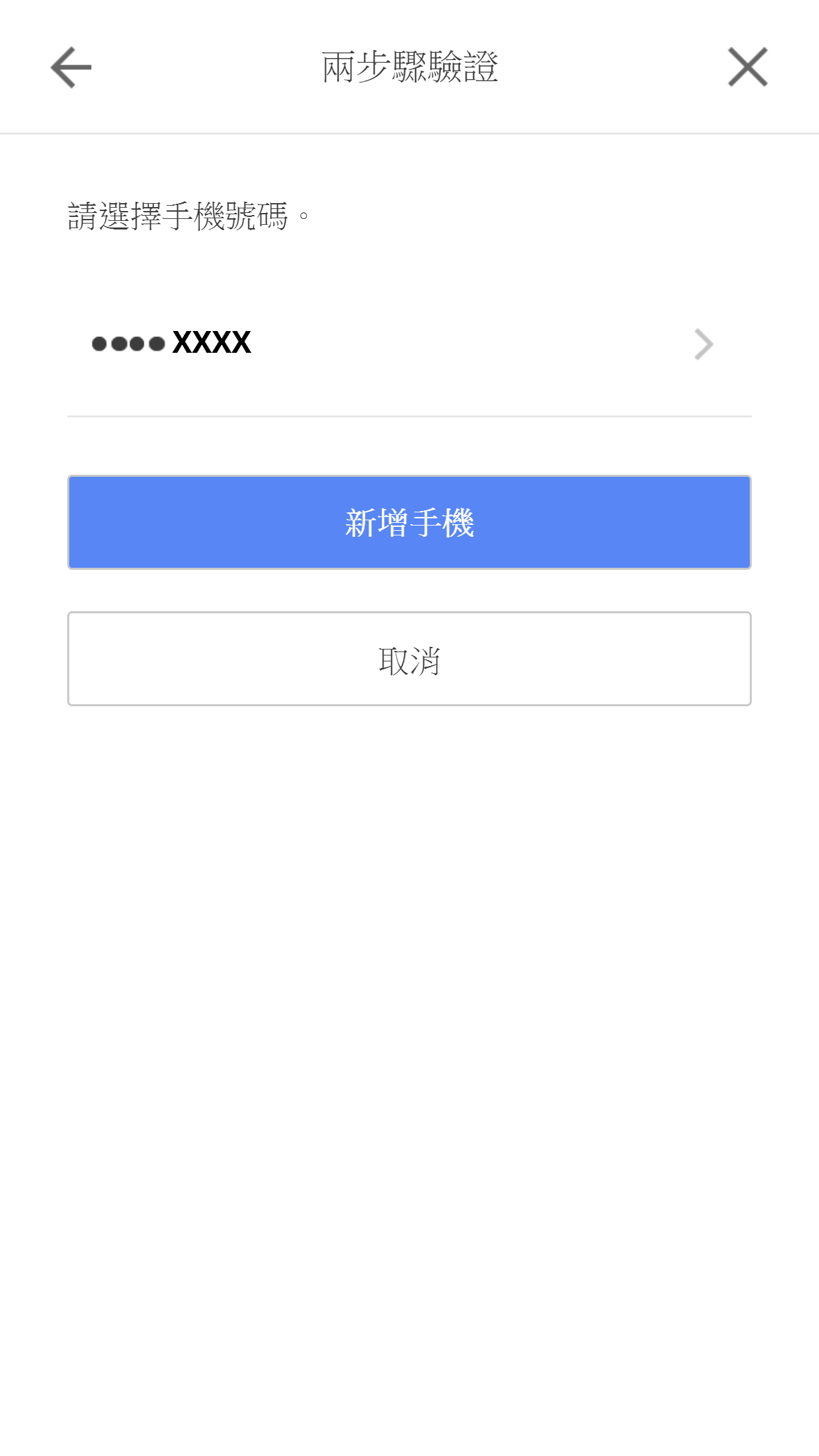
若您已設定手機號碼,請在您要用於兩步驟驗證的手機號碼右邊,選擇[ > ]。
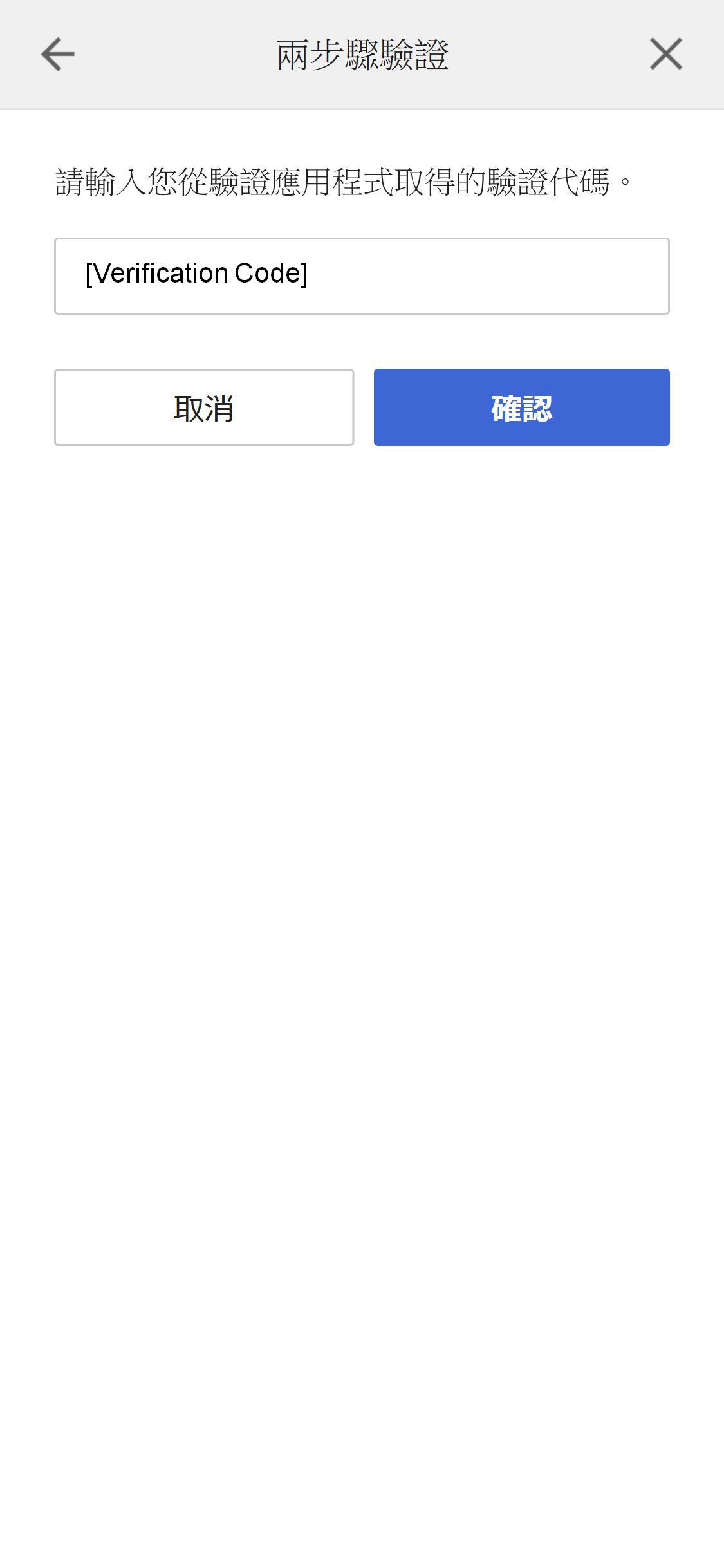
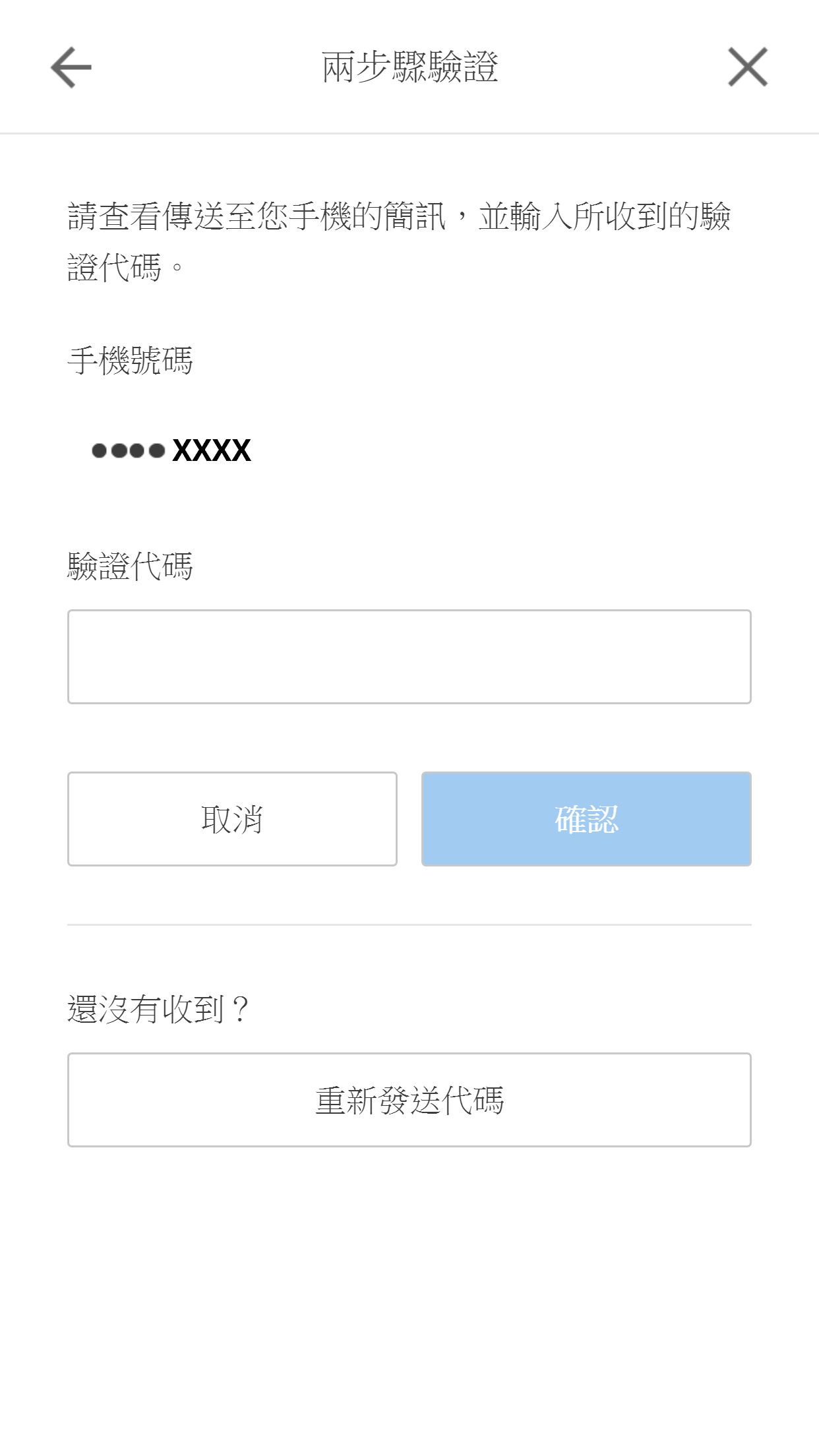
系統將會傳送文字訊息至您的手機。請輸入驗證代碼,然後選擇[確認]。
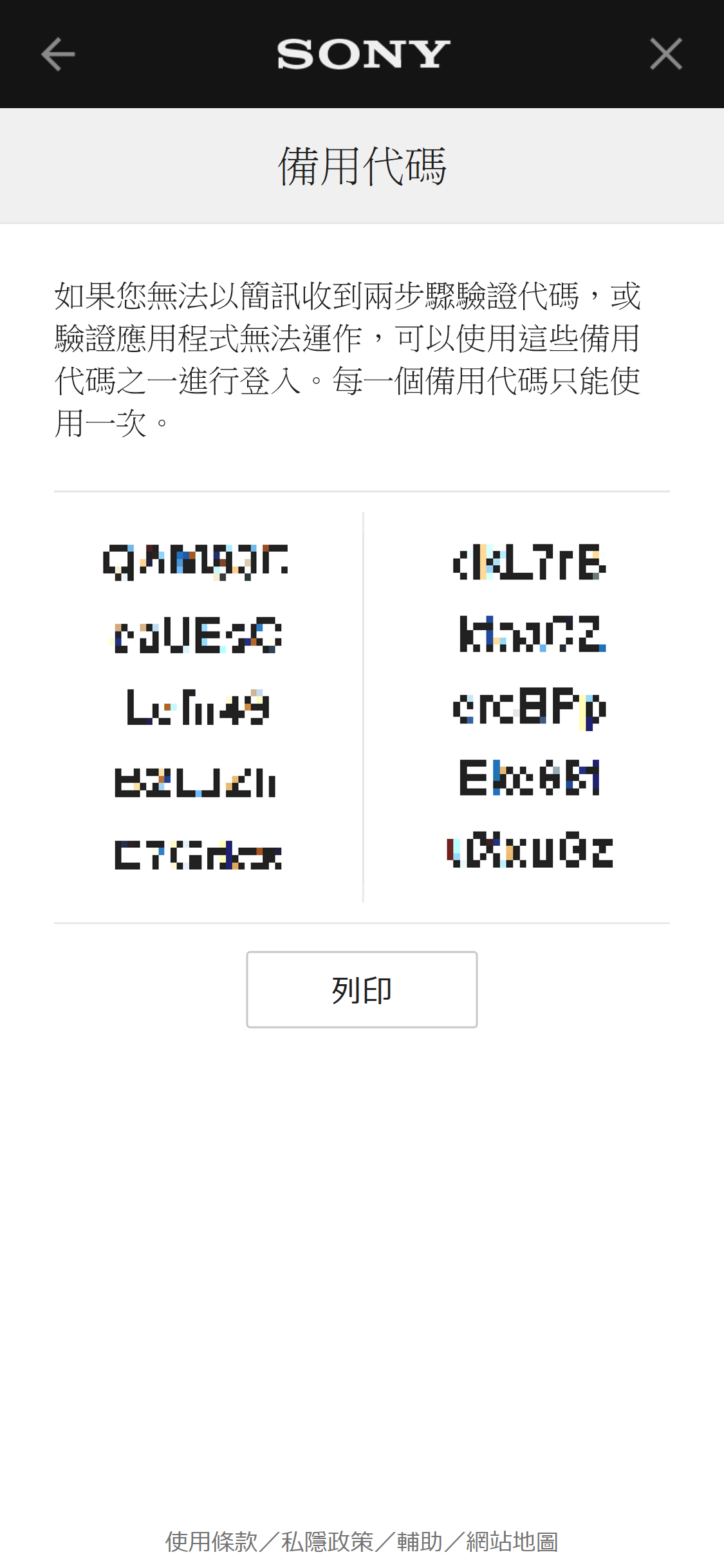
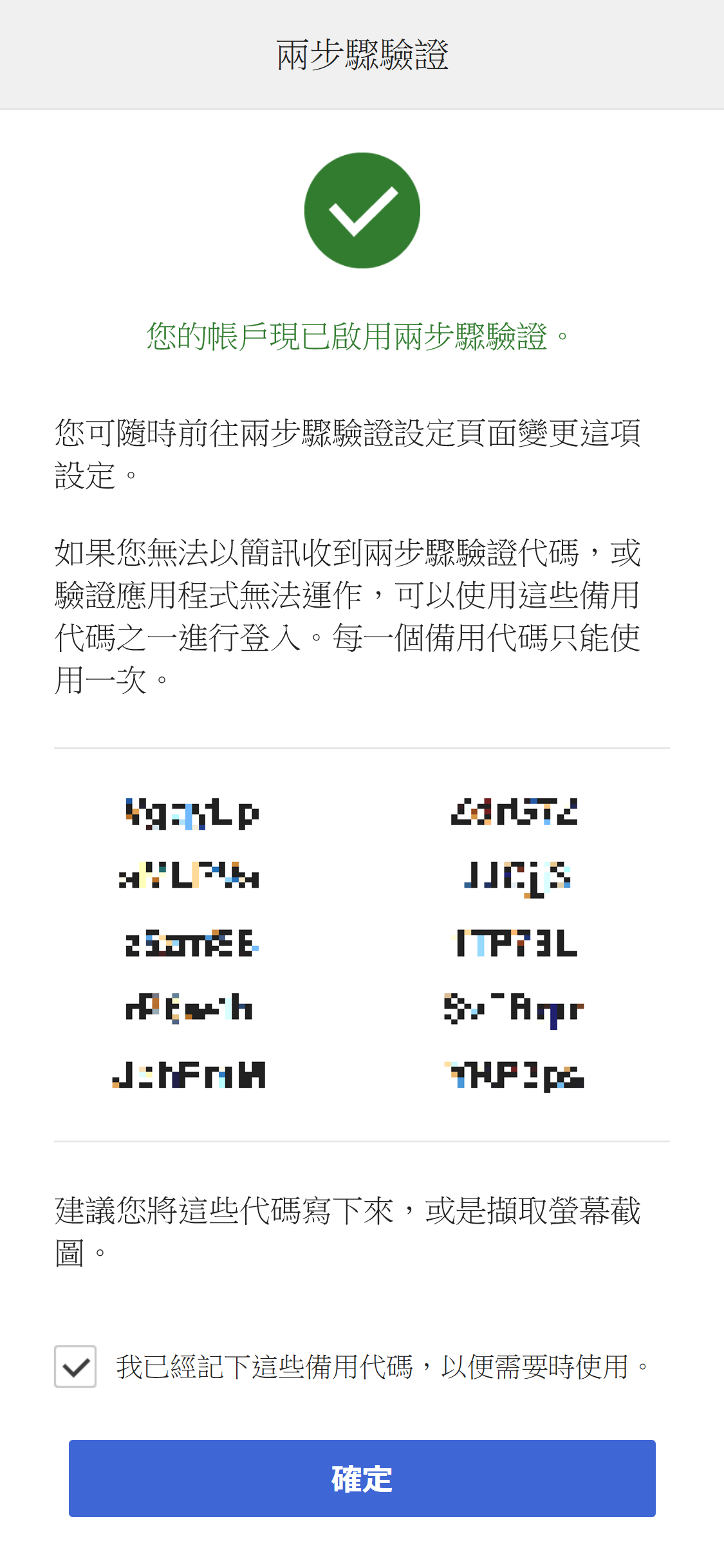
我們建議您將備用代碼記錄下來。例如拍攝螢幕截圖。
若您無法透過簡訊或驗證應用程式收到驗證代碼,可輸入備用代碼取代驗證代碼來登入。
設定通行鑰
若想了解更多資訊,請造訪
這裡
。
停用通行鑰
若想了解更多資訊,請造訪
這裡
。
設定透過驗證應用程式進行兩步驟驗證
在「帳戶設定」畫面選擇[編輯],以進入安全設定。
選擇兩步驟驗證旁邊的[編輯]。
選擇[驗證應用程式]。
開啟行動裝置上的驗證應用程式,然後掃描此QR代碼,或將字母數字代碼複製並貼到應用程式內。
當應用程式設定完畢時,請選擇[繼續]。
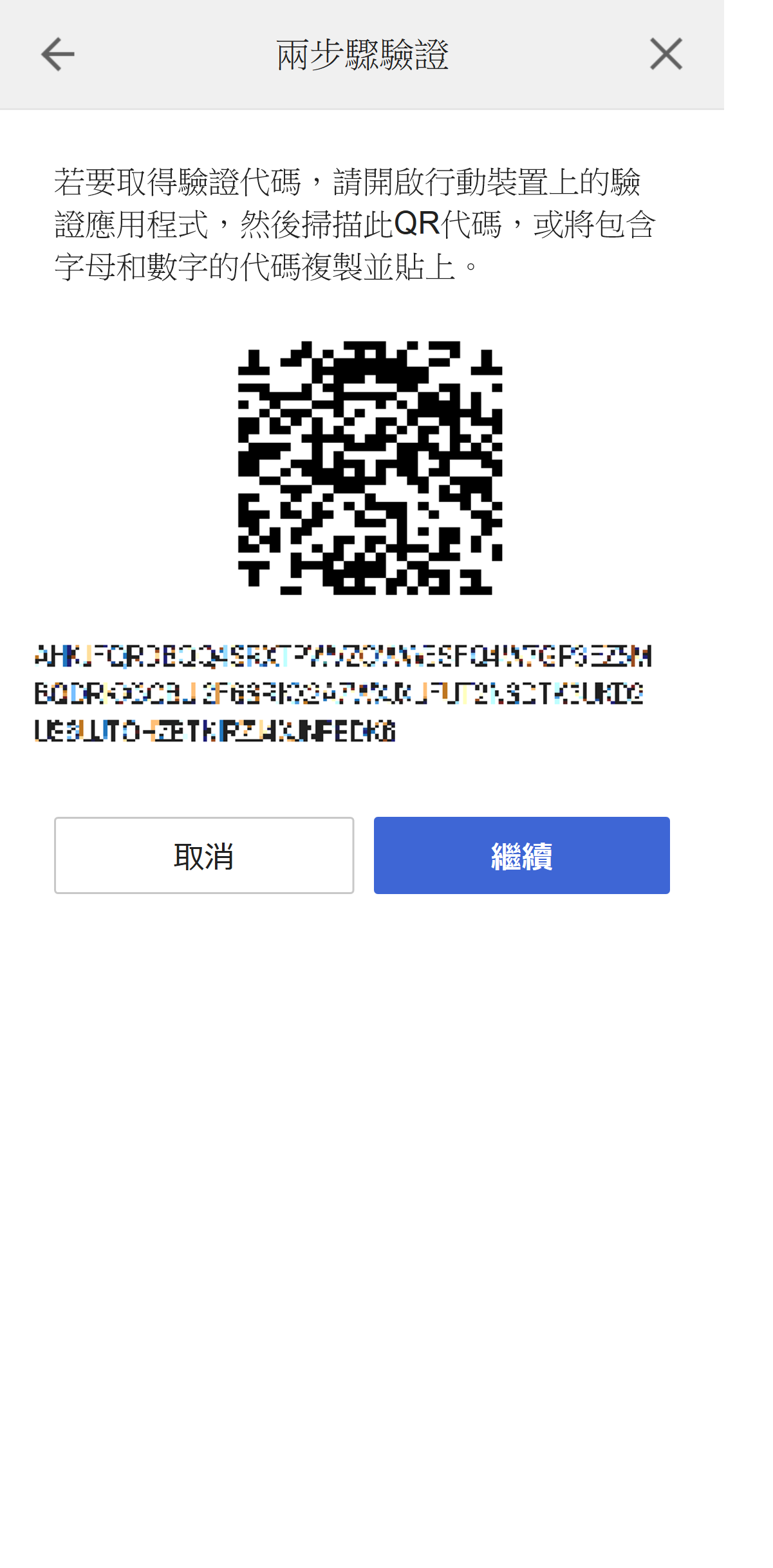
輸入行動裝置上的驗證應用程式收到的驗證代碼,然後選擇[驗證]。
我們建議您將備用代碼記錄下來。例如拍攝螢幕截圖。
若您無法透過簡訊或驗證應用程式收到驗證代碼,可輸入備用代碼取代驗證代碼來登入。
每組代碼僅能使用一次。
停用兩步驟驗證
在「帳戶設定」畫面選擇[編輯],以進入安全設定。
選擇兩步驟驗證旁邊的[編輯]。
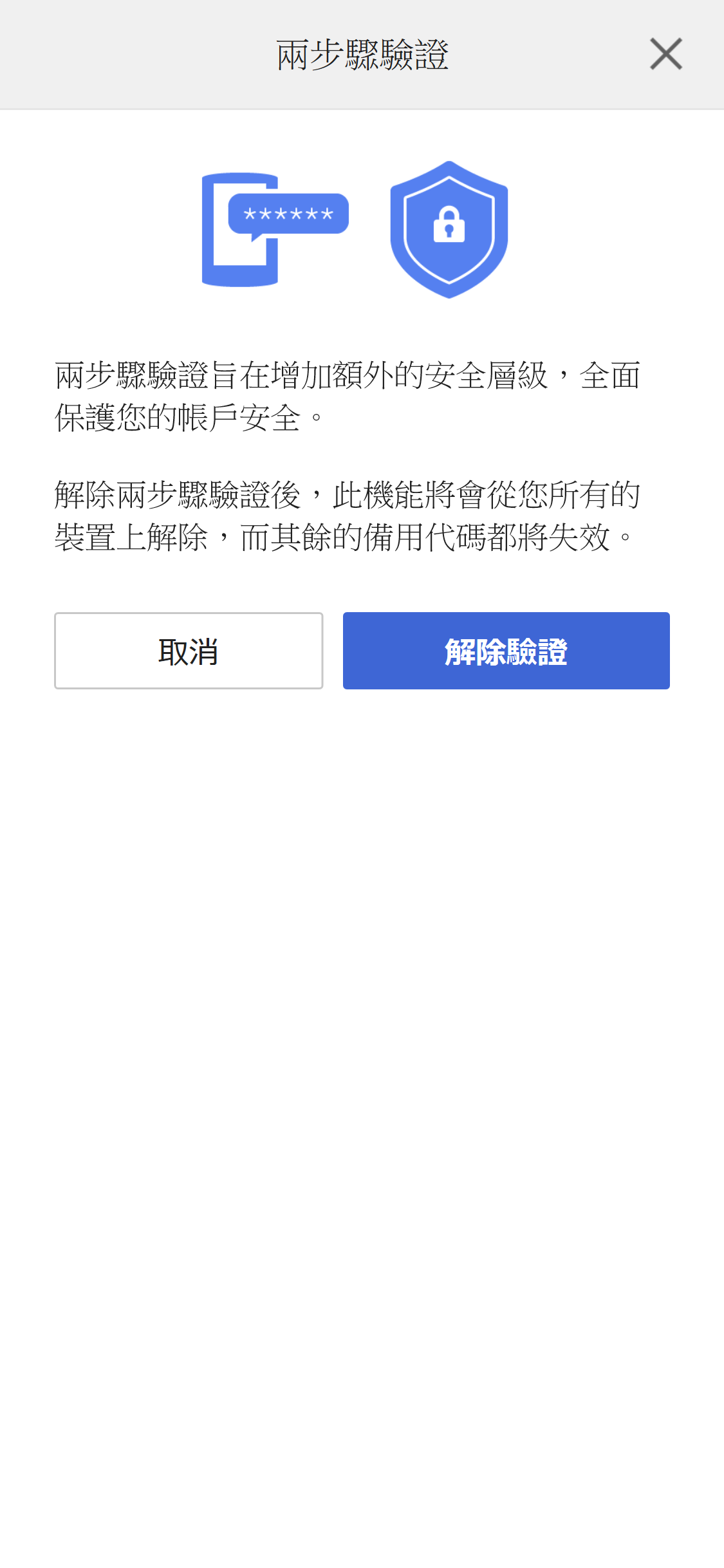
選擇[解除驗證]。
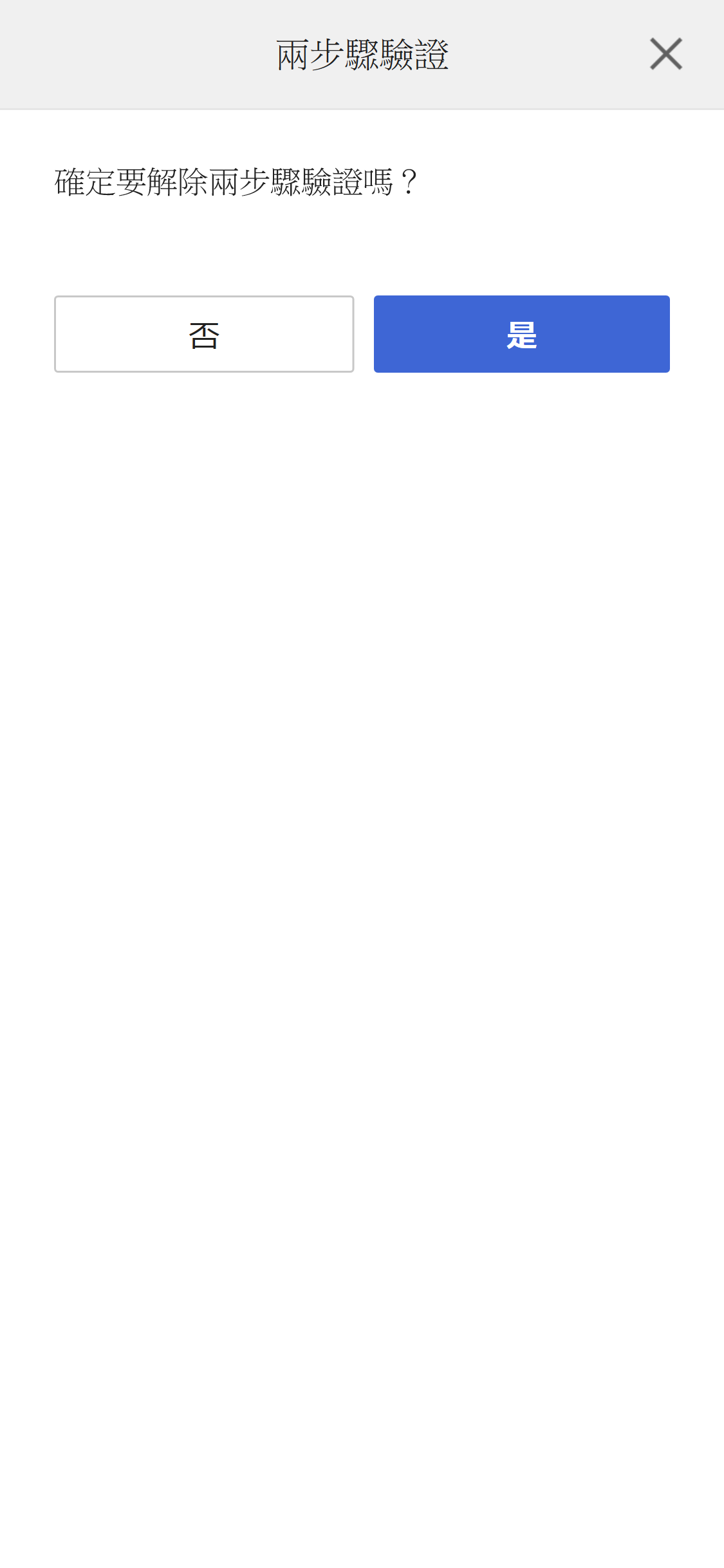
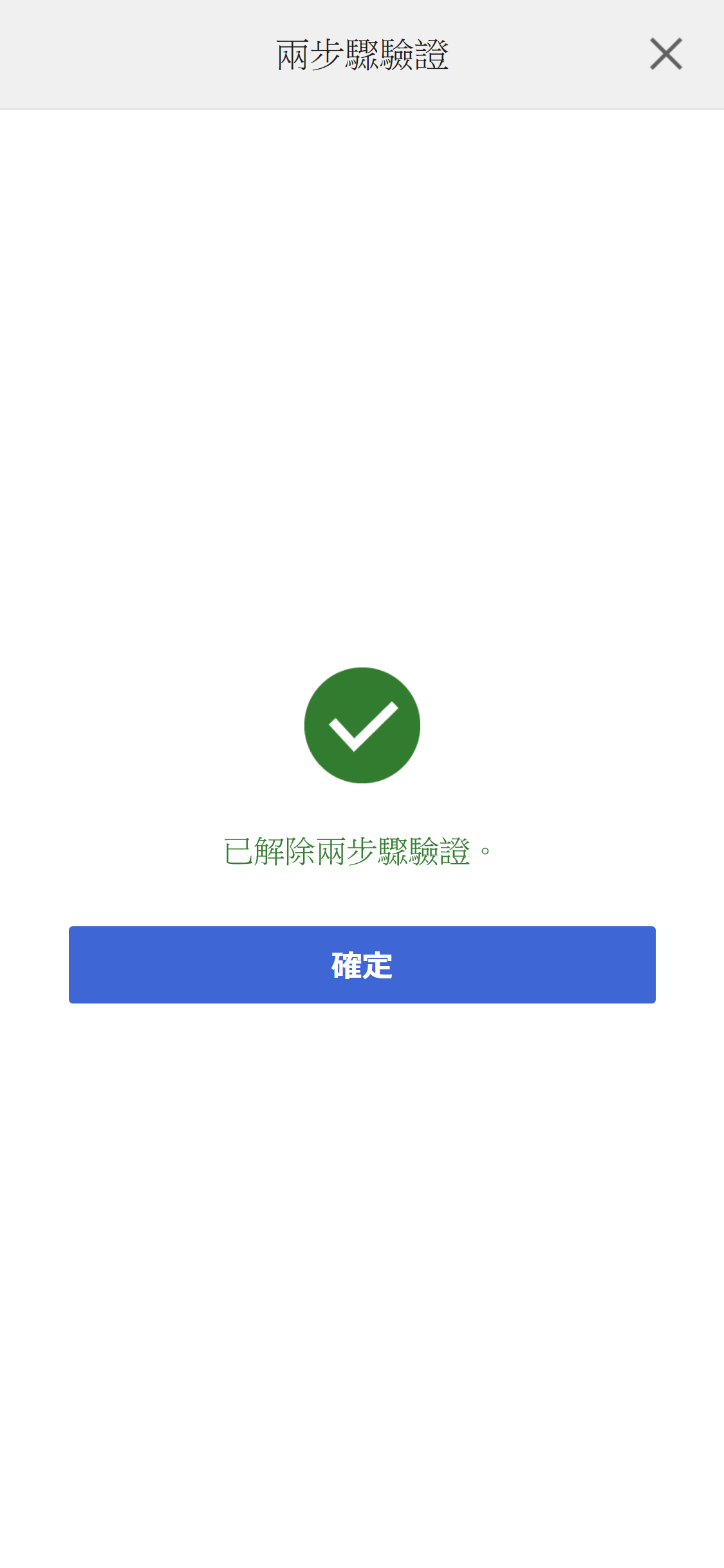
選擇[是]。
接收備用代碼
如果您啟用了兩步驟驗證,登入時就必須輸入驗證代碼。
若您無法透過簡訊或驗證應用程式收到驗證代碼,可輸入備用代碼取代驗證代碼來登入。
我們建議您將備用代碼記錄下來。例如拍攝螢幕截圖。
在「帳戶設定」畫面選擇[編輯],以進入安全設定。
選擇兩步驟驗證用的[備用代碼]。
每組代碼僅能使用一次。